
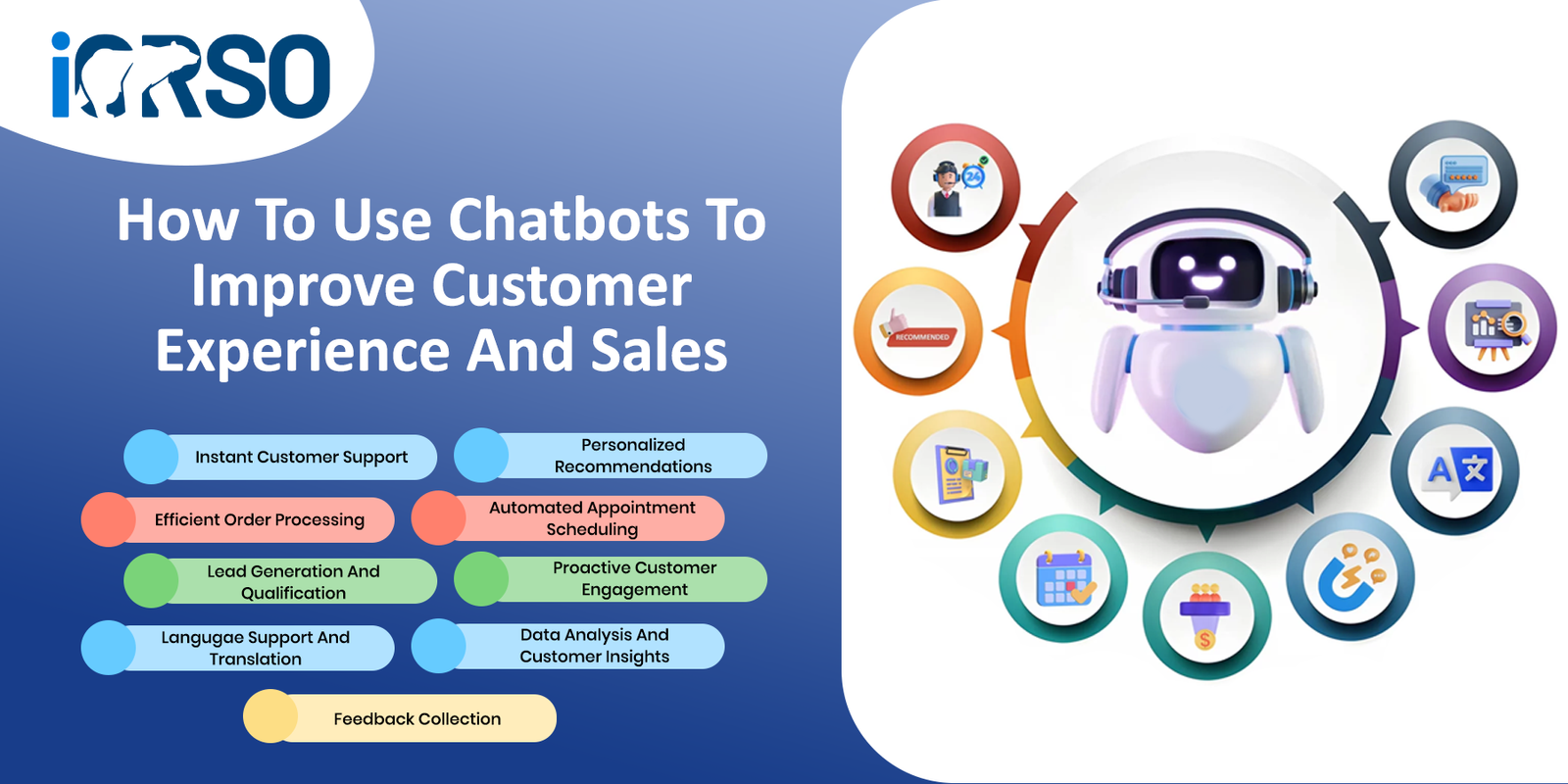
Chatbots are changing the way businesses talk to their customers. They answer questions, guide buyers, and close sales around the clock. If you are not using a chatbot yet, you are leaving money on the table. This guide will show you how chatbots work and how they can grow your business.
What Are Chatbots and Why Do They Matter?
A chatbot is a software tool that talks to people through text or voice. It sits on your website, social media, or messaging app. It responds to questions without needing a human agent.
Chatbots matter because customers expect fast answers. A study by HubSpot found that 82% of consumers rate an immediate response as important when they have a question. Long wait times push customers away. Chatbots solve this problem by responding in seconds.
Businesses that use chatbots see real results. According to IBM, chatbots can handle up to 80% of routine customer questions. This frees up your team to focus on harder tasks. It also cuts support costs by up to 30%.
Types of Chatbots: Rule-Based vs AI
There are two main types of chatbots. Each one works in a different way. The right choice depends on your business needs.
Rule-Based Chatbots
Rule-based chatbots follow a set script. They use decision trees to guide users through a fixed set of options. They work well for simple tasks like answering FAQs or booking appointments.
These bots are easy to set up and manage. They do not learn from past chats. They can only answer questions they were programmed to handle.
AI-Powered Chatbots
AI chatbots use machine learning and natural language processing. They understand what people mean, not just what they type. They get smarter over time as they handle more chats.
AI bots can handle complex questions and offer personal responses. They cost more to set up but deliver a better experience. They are ideal for businesses with high chat volumes.
Chatbot Platform Comparison
Choosing the Right platform is a key step. Here is a comparison of popular chatbot tools to help you decide.
| Platform | Type | Price | Best For |
|---|---|---|---|
| Tidio | Rule-Based + AI | Free plan / Paid from $29/mo | Small businesses and e-commerce stores |
| Drift | AI-Powered | Custom pricing | B2B sales teams and lead generation |
| Intercom | AI-Powered | From $39/mo | SaaS companies and customer support |
| ManyChat | Rule-Based | Free plan / Paid from $15/mo | Social media marketing and Messenger bots |
| ChatBot.com | Rule-Based + AI | From $52/mo | Mid-size businesses needing custom flows |
Each platform has its strengths. Pick one that fits your budget and goals. A good web design team can help you add it to your site the right way.
How Chatbots Improve Customer Experience
Great customer experience builds loyalty and trust. Chatbots help you deliver that experience at scale. Here is how they do it.
24/7 Availability
Customers do not only shop during business hours. Chatbots are always on, ready to help at any time of day or night. This means no missed questions and no frustrated visitors.
Instant Responses
Speed matters more than ever. Research shows that 53% of online shoppers abandon a site if they do not get a quick answer. A chatbot replies in under a second, keeping visitors engaged.
Personal Touch at Scale
Modern chatbots can greet users by name. They can recommend products based on past behavior. They make each visitor feel seen without adding to your team’s workload.
Consistent Service Quality
Human agents have good days and bad days. Chatbots deliver the same quality every time. This keeps your brand experience smooth and reliable. Pairing chatbots with smart automation tools makes your entire workflow more efficient.
How Chatbots Drive Sales
Chatbots do more than answer questions. They actively help you sell more. Here are the key ways they boost revenue.
Lead Capture and Qualification
Chatbots can ask visitors qualifying questions right away. They collect names, emails, and needs before passing leads to your sales team. Businesses using chatbots for Lead Generation see a 67% increase in qualified leads.
Product Recommendations
A chatbot can suggest products based on what a customer is looking for. This works like a personal shopping assistant. It increases average order value and reduces decision fatigue.
Cart Recovery
About 70% of online shopping carts are abandoned before checkout. Chatbots can send reminders and offer help when a customer is about to leave. This brings back lost sales that would otherwise be gone for good.
Upselling and Cross-Selling
Chatbots can suggest related items or premium options during a conversation. They do this naturally, without feeling pushy. This is a simple way to increase revenue per customer.
Want to see how these strategies work in action? Check out our client results for real examples of growth.
How to Set Up a Chatbot: Step by Step
Getting started with a chatbot does not have to be hard. Follow these steps to launch one that works.
- Define your goals. Decide if you want to improve support, capture leads, or drive sales. Clear goals guide every other decision.
- Choose the right platform. Use the comparison table above to pick a tool that fits your needs and budget.
- Map out conversation flows. Write the questions and answers your bot will use. Start with the most common customer questions.
- Add the chatbot to your site. Most platforms offer a simple code snippet or plugin. Place it on your homepage and key landing pages.
- Test before you launch. Run through every conversation path. Fix any dead ends or confusing responses.
- Monitor and improve. Review chat logs every week. Update your bot based on what customers are asking.
Good SEO services can also help drive more traffic to the pages where your chatbot lives. More visitors means more conversations and more sales.
Common Mistakes to Avoid
Chatbots can backfire if you set them up the wrong way. Avoid these common errors to get the best results.
Making the Bot Too Pushy
No one likes a chatbot that pops up every five seconds. Let visitors browse first. Trigger the bot after a few seconds or when they visit a key page.
Not Offering a Human Option
Some questions need a real person. Always give users a way to reach a human agent. This builds trust and prevents frustration.
Ignoring Chat Data
Your chatbot collects valuable data about customer needs. Review this data often. Use it to improve your products, services, and marketing.
Using Too Much Jargon
Write your chatbot scripts in plain, simple language. Avoid industry terms that confuse your audience. Clear language leads to better conversations and happier customers.
Frequently Asked Questions
How much does it cost to add a chatbot to my website?
Costs vary by platform and features. Basic chatbots start with free plans. Advanced AI bots can cost $50 to $500 or more per month. Many businesses see a strong return on their investment within the first few months.
Will a chatbot replace my customer support team?
No. A chatbot handles routine questions so your team can focus on complex issues. It works alongside your staff, not instead of them. Think of it as a tool that makes your team more productive.
How long does it take to set up a chatbot?
A basic rule-based chatbot can be live in a few hours. An AI-powered bot with custom training may take one to two weeks. The setup time depends on how many conversation flows you need.
Do chatbots work for Small Businesses?
Yes. Small businesses often benefit the most from chatbots. A chatbot lets a small team offer support around the clock. It levels the playing field with larger companies that have bigger staff.
Start Using Chatbots Today
Chatbots are not a luxury anymore. They are a must-have tool for any business that wants to grow. They improve customer experience, capture more leads, and drive more sales.
The best time to start is now. Every day without a chatbot is a day of missed opportunities. Your customers are ready to talk. Make sure someone is there to answer.
Ready to add a chatbot to your website? Contact our team today and we will help you pick the right solution for your business.